

Best Voice-to-Text Software for Email: Stop Typing Every Message (2026)
You send 50+ emails a day. Why are you typing all of them?
The average professional sends 40-50 emails daily. At 2-3 minutes per email, that's 2+ hours just typing emails.
You speak at 250 words per minute. You type at 50.
What if you could speak your emails instead?
Voice to email software is a narrower job than plain dictation: the tool has to turn what you say into a finished email, with greeting, paragraphs and sign-off, not a raw transcript.
Here's the problem: most voice recognition software gives you raw transcription that needs heavy editing. You save time speaking, then lose it fixing "um," "uh," and run-on sentences.
This guide covers the voice to text software that actually works for email - giving you formatted, professional output you can send without editing.
Quick Answer: Best Voice-to-Text Software for Email
| Tool | Price | Output Quality | Best For |
|---|---|---|---|
| Contextli ⭐ | One-time, lifetime (pricing) | Formatted, ready to send | Daily email productivity |
| Willow Voice | $15/mo | Context-aware, formatted | Fast email workflows |
| Wispr Flow | $15/mo | Clean transcription | General dictation |
| Superwhisper | $249 lifetime | Formatted with modes | Mac power users |
| Built-in Dictation | Free | Raw transcription | Casual/occasional |
Our pick:Contextli - The only tool that produces email-ready output without editing, with one-time pricing.
Why Most Voice-to-Text Fails for Email
Most voice-activated email software stops at transcription, so you still fix filler words, punctuation and run-on sentences by hand.
The Transcription Problem
Traditional dictation gives you exactly what you said:
What you say:
"hey sarah wanted to follow up on the project um so basically the timeline looks good but we need to make sure QA has enough time I was thinking maybe push the deadline to friday what do you think"
What you get:
hey sarah wanted to follow up on the project um so basically the timeline looks good but we need to make sure QA has enough time I was thinking maybe push the deadline to friday what do you think
Now you spend 2-3 minutes:
- Capitalizing
- Adding punctuation
- Removing "um" and "basically"
- Breaking into sentences
- Adding greeting and sign-off
Net time saved: Zero. Maybe negative.
What Email Actually Needs
Professional email requires:
- Proper greeting
- Clear structure
- Professional tone
- Punctuation and formatting
- Appropriate sign-off
Raw transcription provides none of this. You need transformation , not transcription.
Understanding Voice Commands & Punctuation
One feature that separates basic speech to text software from professional tools is voice command support. Here's how it works:
Basic punctuation commands:
- Say "period" or "full stop" to end sentences
- Say "comma" to insert commas
- Say "question mark" for questions
- Say "new line" or "new paragraph" for formatting
Advanced commands:
- "Open quote" and "close quote" for quotations
- "All caps on" / "all caps off" for capitalization
- "Delete that" to remove the last phrase
- "Undo" to reverse the last action
Most modern voice to text software handles punctuation automatically through AI, but understanding voice commands helps when you need precise control. Tools like Dragon Professional have 100+ voice commands, while newer AI-powered tools like Contextli handle formatting intelligently without requiring you to speak every punctuation mark.
The best approach? Use AI-powered tools that format automatically, and only use voice commands when you need specific control.
#1: Contextli - Best Overall for Email
Price: one-time, lifetime (see pricing)
Platforms: Mac, Windows, Linux
Output: Formatted, email-ready
Why Contextli Wins for Email
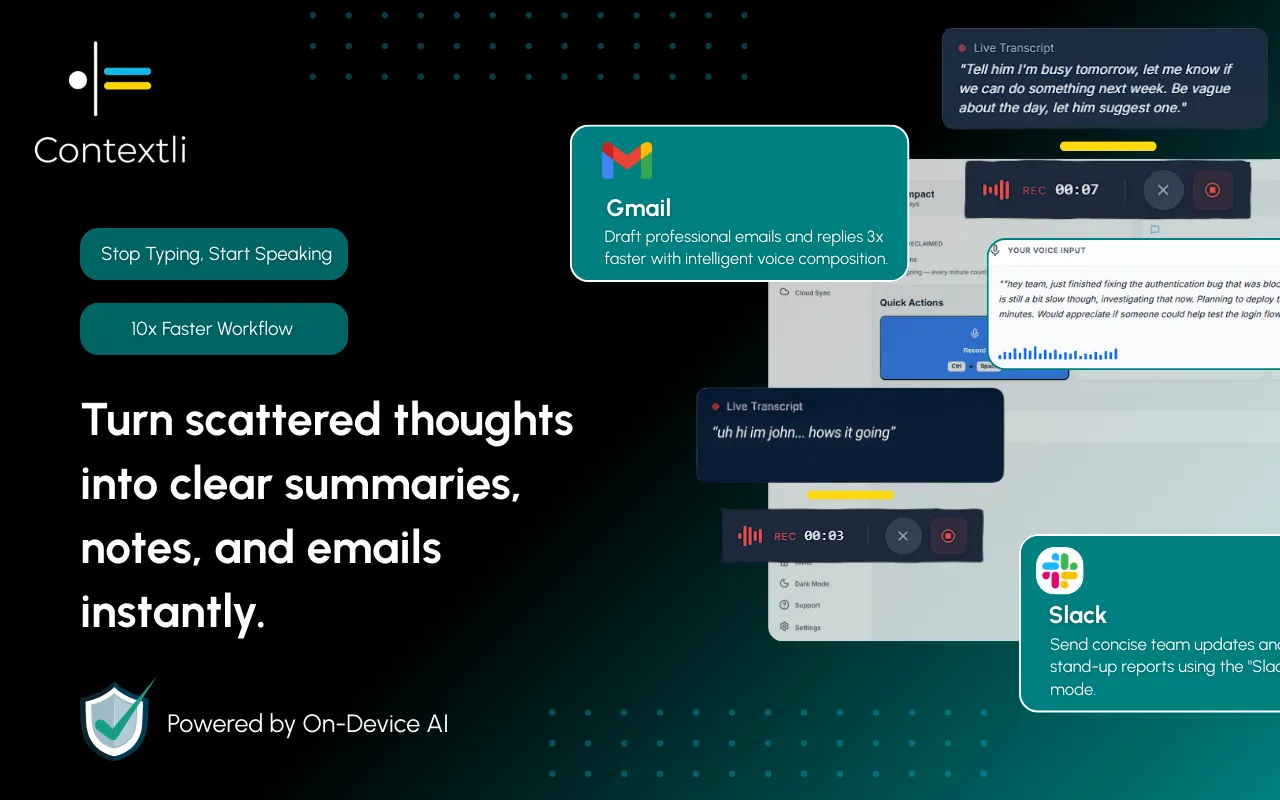
Contextli isn't a transcription tool - it's a workflow tool that transforms speech into context-aware output.
You set up an "Email Context" once:
- Professional but warm tone
- Proper greeting format
- Clear paragraph structure
- Appropriate sign-off
Then every email is:
- Press hotkey (Cmd+Shift+E)
- Speak for 10-15 seconds
- Formatted email appears
- Send
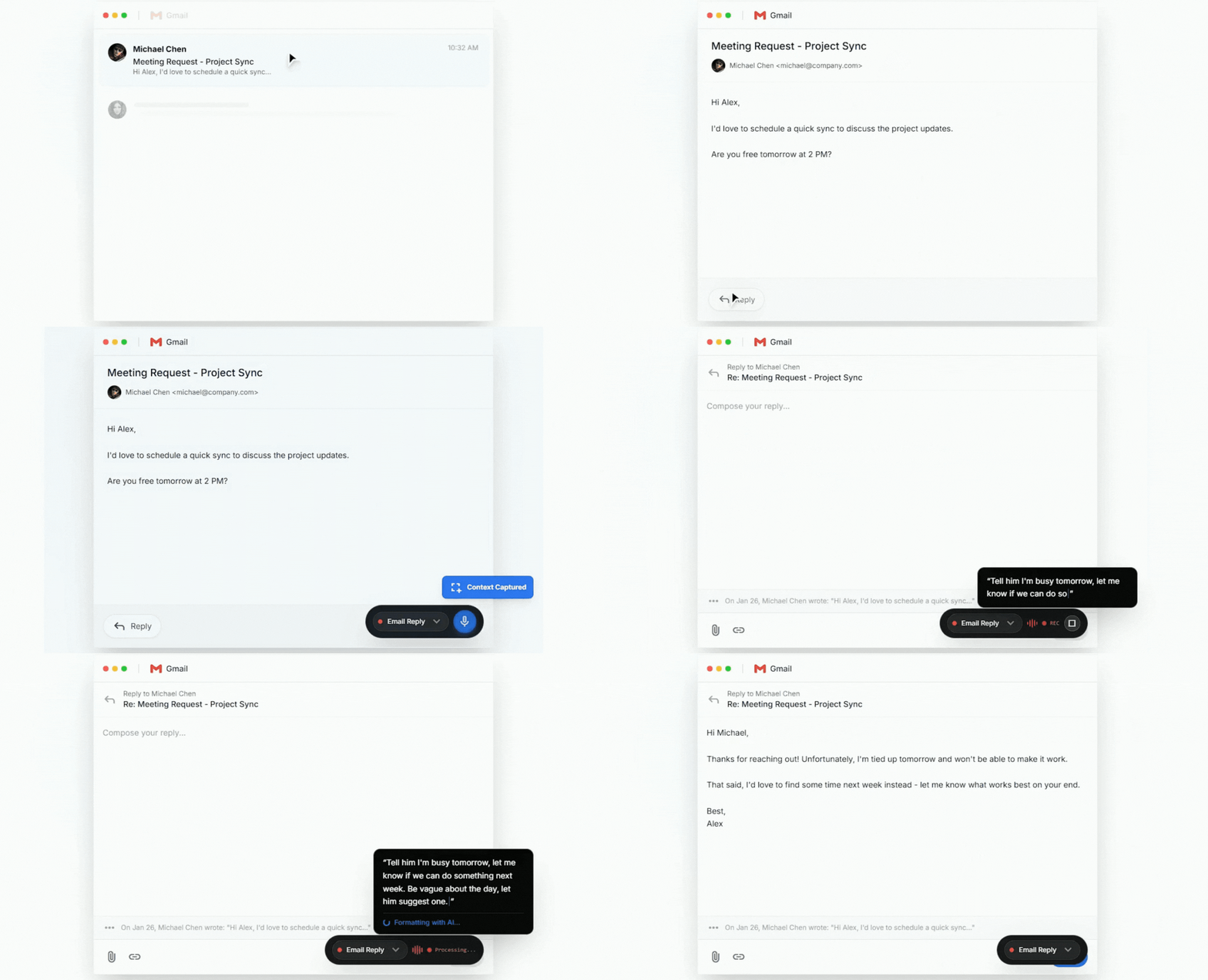
Example - Context Mode in Action:
What you say (10 seconds):
"Tell him I'm busy tomorrow, let me know if we can do something next week. Be vague about the day, let him suggest one."
WhatContextli outputs:
Hi Michael,
Thanks for reaching out! Unfortunately, I'm tied up tomorrow and won't be able to make it work.
That said, I'd love to find some time next week instead - let me know what works best on your end and I'll do my best to make it happen.
Looking forward to it!
Best,
Alex Martinez
No editing required.
This is Contextli's competitive edge: you speak a short intent command, and it expands into a full, context-aware, professional deliverable. This isn't grammar fixing - it's transformation.
Key Features for Email
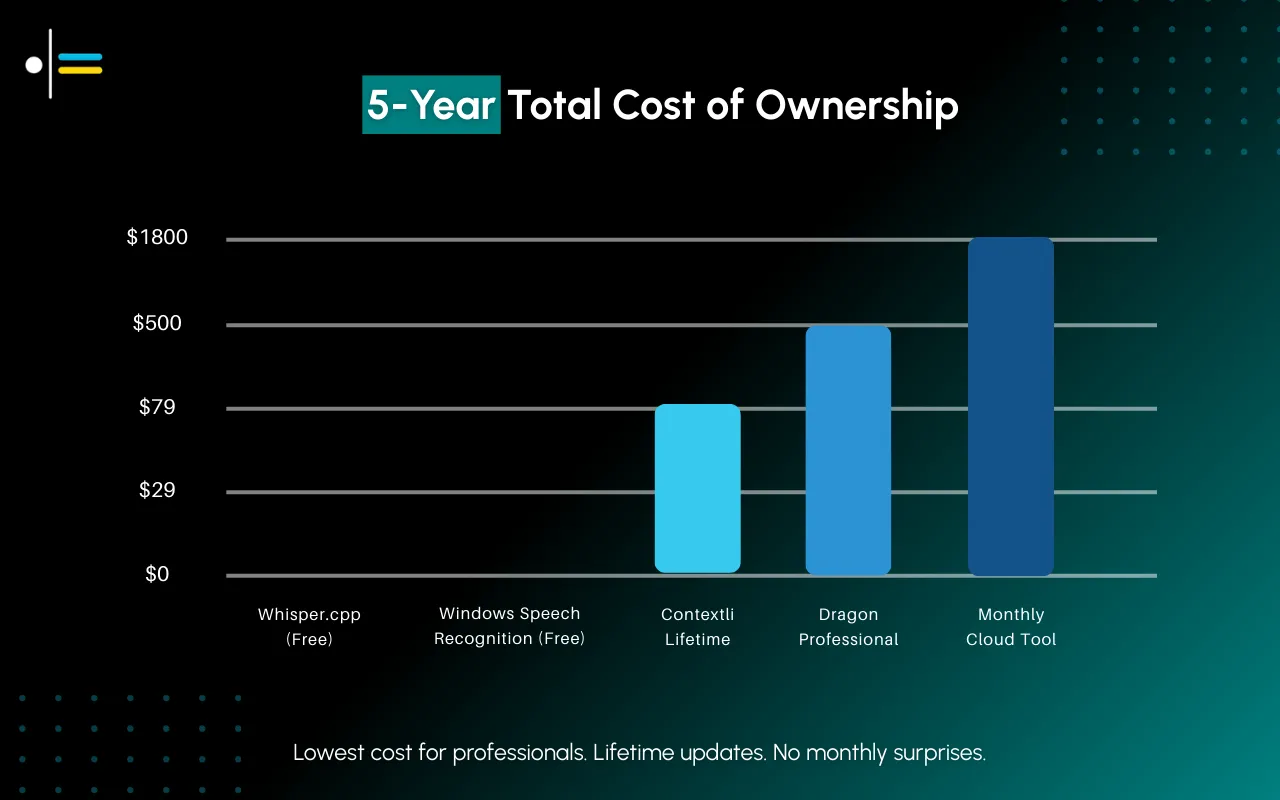
- Email Context - Pre-defined formatting for all emails
- Auto-paste - Output appears directly in Gmail/Outlook
- Multiple Contexts - Different styles for different use cases (formal, casual, follow-up)
- Local option - Process on-device for sensitive emails
- One-time price - pay once and keep it, not monthly
- Works everywhere - Any email client, any platform
Technical Specs
- Accuracy: 95%+ with clean audio
- Languages: 100+ supported
- Speed: Sub-second processing
- Privacy: Cloud, BYOK, or fully local options
Pros
✅ Context-aware output ready to send
✅ One-time price, not a subscription
✅ Works across all email clients
✅ Hotkey activation (no app switching)
✅ Privacy option (local processing)
✅ Cross-platform (Mac, Windows, Linux)
Cons
❌ Requires initial Context setup
❌ Not for meeting transcription
#2: Willow Voice - Best for Fast Email Workflows
Price: $15/month ($180/year)
Platforms: Mac, Windows
Output: Context-aware, formatted
Overview
Willow Voice is a newer voice to text software specifically designed for professional communication. Like Contextli, it focuses on transformation rather than raw transcription.
For Email
Willow understands email context and formats output accordingly:
- Automatic greeting and sign-off
- Professional tone adaptation
- Sub-second processing speed
- Works across email clients
What you say:
"tell sarah the report looks good, one question about the Q3 numbers on page 7, let's discuss tomorrow"
What you get:
Hi Sarah,
The report looks great! One quick question about the Q3 numbers on page 7 - could we discuss tomorrow?
Thanks,
[Name]
How It Compares to Contextli
| Feature | Willow | Contextli |
|---|---|---|
| Pricing | $15/mo subscription | One-time, see pricing |
| Platforms | Mac, Windows | Mac, Windows, Linux |
| Custom contexts | Limited | Unlimited |
| Local processing | No | Yes |
| Annual cost | $180 | Nothing after the initial purchase |
Pros
✅ Fast processing (less than 1 second)
✅ Context-aware formatting
✅ Works in all email clients
✅ Free trial available
Cons
❌ Subscription model ($180/year)
❌ Cloud-only (no local processing)
❌ Limited customization vs Contextli
Best for: Users who want context-aware email dictation and don't mind a subscription.
#3: Wispr Flow - Best for Clean Transcription
Price: $15/month ($144/year)
Platforms: Mac, Windows, iOS
Output: Clean transcription (filler words removed)
Overview
Wispr Flow removes filler words automatically. You still get transcription, but cleaner than built-in dictation.
For Email
What you say:
"um hey sarah wanted to follow up on the project so the timeline looks good"
What you get:
hey sarah wanted to follow up on the project the timeline looks good
Better than raw transcription, but still needs:
- Capitalization
- Punctuation
- Structure
- Greeting/sign-off
Pros
✅ Removes filler words
✅ Works cross-platform
✅ Command Mode for editing
Cons
❌ Still needs formatting
❌ $180/year subscription
❌ Cloud-only (privacy)
Best for: Users who want cleaner transcription but are okay with some editing.
#4: Superwhisper - Best for Mac Power Users
Price: $8.49/mo or $249 lifetime
Platforms: Mac, iOS only
Output: Configurable (transcription or formatted)
Overview
Superwhisper offers "modes" similar to Contextli - you can define how speech gets transformed, including email formatting.
For Email
With proper setup, Superwhisper can produce formatted email output using its "modes." But:
- Mac-only (no Windows/Linux)
- Higher lifetime price ($249)
- More complex setup
Pros
✅ Custom modes for email (Superwhisper terminology)
✅ Offline option
✅ Lifetime license available
Cons
❌ Mac only
❌ Higher price ($249)
❌ More complex than Contextli
Best for: Mac users who want Contextli-like features and don't mind the premium.
#5: Built-in Dictation - Best Free Option
Price: Free
Platforms: Mac, Windows, iOS, Android
Output: Raw transcription
Overview
Every device has built-in dictation:
- Mac: Fn+Fn or System Settings → Keyboard → Dictation
- Windows: Win+H
- iOS/Android: Microphone on keyboard
For Email
Built-in dictation is raw transcription. You'll spend significant time formatting.
Good for: Occasional use, rough drafts, users who type very slowly.
Not good for: Daily email productivity.
Pros
✅ Free
✅ Already installed
✅ Works anywhere
Cons
❌ Raw transcription
❌ Heavy editing needed
❌ No AI formatting
Browser Extensions for Email
If you primarily use web-based email (Gmail, Outlook.com), browser extensions offer another dictation app option:
Voice In (Chrome Extension)
Price: Free with limitations, $4.17/mo Pro
Best for: Gmail and Outlook web users
Voice In is a popular Chrome extension that adds voice typing to any text box in your browser.
How it works:
- Install extension
- Click mic icon or use hotkey
- Speak into any text field
- Get transcription
Output quality: Raw transcription with automatic punctuation. Better than built-in, not as good as AI-powered tools like Contextli.
Pros:
✅ Works in Gmail, Outlook web, any text box
✅ Affordable
✅ 50+ languages supported
Cons:
❌ Still requires formatting/editing
❌ Browser-only (doesn't work in desktop apps)
❌ No context-aware transformation
Dictation.io & Speechnotes (Web-based)
Free, web-based speech to text software options:
- Open website
- Click mic
- Speak
- Copy/paste into email
These are the most basic option - raw transcription only. Useful for occasional use but not a daily email productivity solution.
Email Voice-to-Text: Feature Comparison
| Feature | Contextli | Willow | Wispr Flow | Superwhisper | Built-in | Voice In |
|---|---|---|---|---|---|---|
| Context-aware output | ✅ | ✅ | ⚠️ | ✅ | ❌ | ❌ |
| Filler removal | ✅ | ✅ | ✅ | ✅ | ❌ | ⚠️ |
| Auto greeting/sign-off | ✅ | ✅ | ❌ | ✅ | ❌ | ❌ |
| Works in Gmail | ✅ | ✅ | ✅ | ✅ | ✅ | ✅ |
| Works in Outlook | ✅ | ✅ | ✅ | ✅ | ✅ | ✅ |
| Desktop apps | ✅ | ✅ | ✅ | ✅ | ✅ | ❌ |
| Mac | ✅ | ✅ | ✅ | ✅ | ✅ | ✅ |
| Windows | ✅ | ✅ | ✅ | ❌ | ✅ | ✅ |
| Linux | ✅ | ❌ | ❌ | ❌ | ⚠️ | ✅ |
| Offline | ✅ | ❌ | ❌ | ✅ | ✅ | ❌ |
| One-time price | ✅ | ❌ | ❌ | ✅ $249 | ✅ Free | ⚠️ |
| Accuracy | 95%+ | 95%+ | 93%+ | 94%+ | 85%+ | 90%+ |
| Languages | 100+ | 50+ | 80+ | 90+ | 60+ | 50+ |
Setting Up Voice-to-Text for Email
Contextli Email Setup
- Download from contextli.com
- Create Email Context:
- Prompt: "Format as professional email with greeting and sign-off"
- Tone: Professional but warm
- Structure: Greeting → Content → Action → Sign-off
- Assign hotkey: Cmd+Shift+E (or your preference)
- Test: Press hotkey, speak email content, verify output
Tips for Any Tool
- Be specific when speaking - "tell sarah about the deadline change" is better than rambling
- State key points clearly - The AI formats, but clarity helps
- Create multiple Contexts - Formal vs casual, internal vs external
- Test before sending important emails - Verify the output matches your intent
Voice-to-Text for Email Accessibility
One of the most important benefits of speech to text software is accessibility. Voice typing helps professionals who:
Physical Limitations
- RSI (Repetitive Strain Injury) - Typing causes wrist/hand pain
- Carpal tunnel syndrome - Physical inability to type for extended periods
- Motor impairments - Difficulty using keyboards or mice
- Arthritis - Joint pain makes typing difficult
For these users, voice to text software isn't about speed - it's about being able to work at all. Tools like Contextli with formatted output are particularly valuable because they eliminate the need for manual editing, which would require additional typing.
Cognitive & Learning Differences
- Dyslexia - Speaking is often easier than writing/typing
- ADHD - Voice dictation can help maintain focus and momentum
- Processing disorders - Some people think faster than they type
Speech recognition software accuracy has improved dramatically in recent years, making it viable for daily professional use by people with these conditions.
Use Case Examples
Attorney with RSI: Uses Contextli in local mode to dictate client emails and case notes without sending data to the cloud, avoiding both physical pain and compliance issues.
Sales rep with dyslexia: Speaks 50+ emails daily using context-aware voice typing, maintaining the same output quality as typed emails.
Marketing manager with arthritis: Dictates social media posts, email campaigns, and Slack messages, working at full productivity without hand pain.
If you use voice to text software for accessibility reasons, look for tools that:
✅ Produce formatted output (less editing = less typing)
✅ Work across all applications (no app switching)
✅ Support custom shortcuts (easier activation)
✅ Offer local processing (if privacy matters)
The ROI of Voice-to-Text for Email
The Math
Current state:
- 50 emails/day
- 2.5 minutes average (typing)
- 125 minutes = 2+ hours daily
With voice-to-text software (formatted):
- 50 emails/day
- 30 seconds average
- 25 minutes daily
Daily savings: 100 minutes
Weekly savings: 8+ hours
Annual savings: 400+ hours
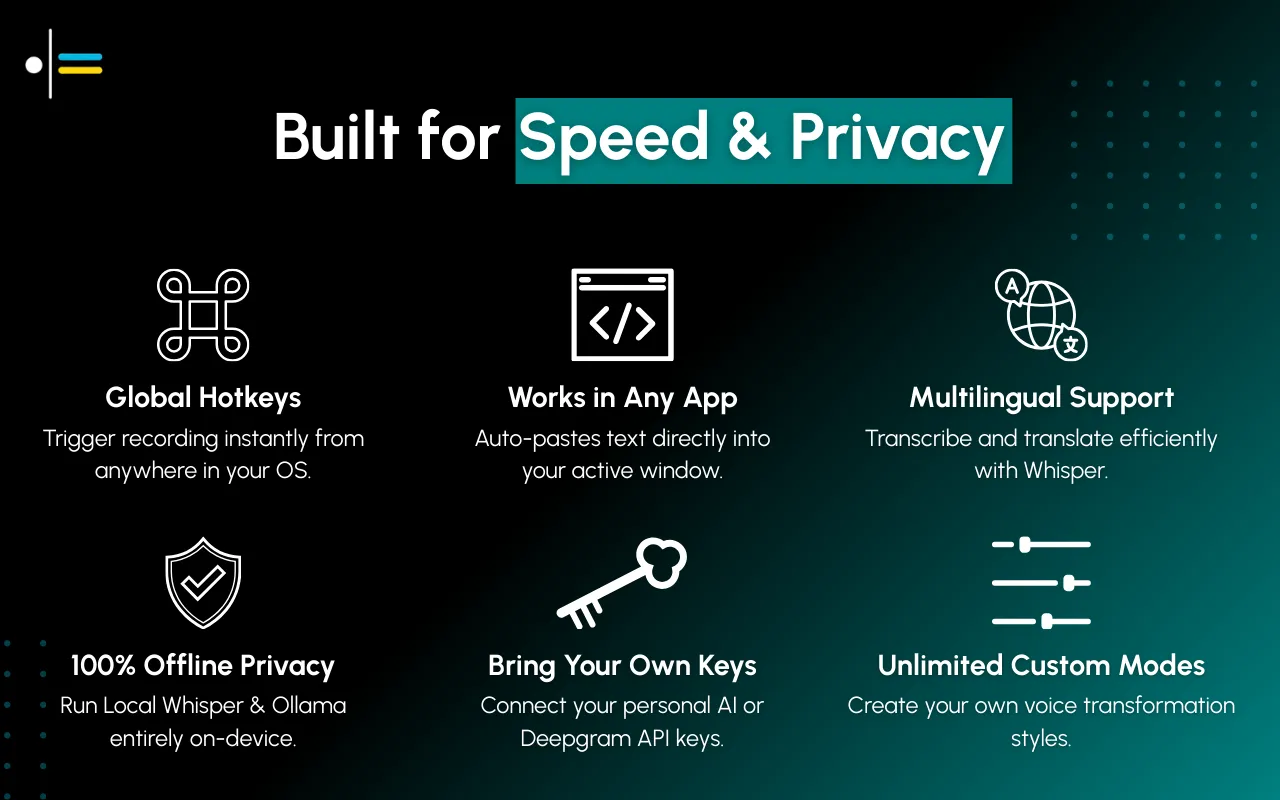
Contextli cost: a one-time purchase, see pricing
Time to ROI: ~1 week of use
Common Questions
Will my emails sound robotic?
No - good voice to text software preserves your voice. You're speaking your thoughts; the AI just formats them. The output sounds like you because the input IS you.
Tools like Contextli that use context-aware transformation maintain your natural speaking style while adding professional structure.
What about confidential emails?
Contextli offers local processing - everything stays on your device. For sensitive emails, enable local Whisper mode.
Other options:
- Superwhisper (offline mode available)
- Built-in dictation (processes locally)
Avoid: Cloud-only tools for attorney-client, HIPAA, or NDA-protected communication.
Does it work in Gmail/Outlook?
Yes. Tools like Contextli auto-paste at your cursor, so they work in any email client - Gmail, Outlook, Apple Mail, web or desktop.
Browser extensions like Voice In only work in web-based email, not desktop applications.
Is there voice-activated email software that can also send the message?
Yes, though it is usually two pieces working together. A dictation app writes the email, and your operating system's voice control handles the clicks. On Windows, Voice Access lets you say "click Send" in Outlook or Gmail. On a Mac, Voice Control does the same with "Click Send". On an iPhone, Siri can write and send a short email to a saved contact, which is fine for a two-line reply but not for anything you would want to reread first. For most people the dependable voice to email setup is: dictate, glance over it, then send by voice or by click.
What if I need to edit the output?
Occasionally you will. Most users report editing ~5-10% of emails. But even with editing, it's faster than typing from scratch.
With context-aware tools like Contextli, the editing is usually minor (changing a word or two) rather than reformatting the entire message.
Can I have different styles for different emails?
Yes. Create multiple Contexts: "Formal Email," "Casual Email," "Follow-up," "Cold Outreach." Each with its own tone and format.
Contextli supports unlimited custom contexts. Assign each a different hotkey for instant access.
How accurate is voice recognition software these days?
Modern speech to text software accuracy ranges from 85-95%+ depending on:
- Audio quality (use a decent mic)
- Background noise (quieter is better)
- Speaking clarity (natural pace, clear enunciation)
- Tool quality (Contextli, Willow: 95%+; Built-in: 85%)
Most errors are minor (wrong word that's phonetically similar) rather than complete misunderstandings. AI-powered tools often fix these automatically during formatting.
Recommendation
For daily email productivity: Contextli (one-time price)
It's the only voice to text software that consistently produces email-ready output without editing. The one-time price beats subscription alternatives, and it works on Mac, Windows, and Linux.
For Mac users who want premium: Superwhisper ($249)
Similar Context features, Mac-focused, but pricier.
For Gmail/Outlook web only: Voice In (from $4.17/mo)
If you only use web-based email and want a budget option.
For occasional use: Built-in dictation (free)
If you send 5-10 emails a day and don't mind editing, free works.
For accessibility needs: Contextli (one-time price)
Formatted output means minimal editing/typing after dictation. Local processing option for privacy.
How many emails do you type daily? Share in the comments.

About the Author
Founder writing emails, Slack messages, support tickets, LinkedIn posts, and team documentation daily.
Read Next
OpenAI Dots vs Grok Bot: Which Always-On AI Agent Should You Use? (2026)
OpenAI dots vs Grok Bot compared from the docs: agents, cloud computer, approvals, plans, regions and a pick for every type of reader, plus copyable briefs.

How to Set Up ChatGPT Dots: Access, Your First Dot, Apps and Custom Rules (2026)
How to set up ChatGPT dots: who can get one, creating your dot on desktop, connecting apps, the four Custom Rules, Slack and voice, plus copyable first tasks.

Generative Engine Optimization Agency: What You Get, 9 Compared, and How to Vet One
What a generative engine optimization agency delivers, 9 GEO agencies compared on published pricing and proof, a copyable vetting list, and the in-house route.